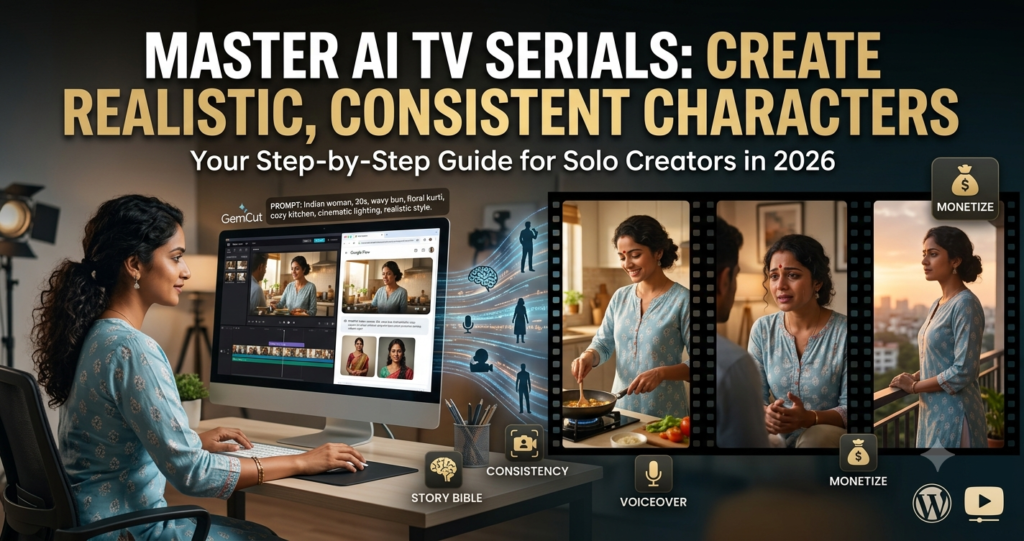

Hey everyone, welcome back to the channel! Today, I’m super excited to dive into something that’s blowing my mind lately – how to create a full-blown, realistic AI TV serial where the same characters look consistent across every single scene. No big production house, no expensive cameras, no actors showing up late – just you, your computer, and some smart AI tools.
If you’ve ever tried generating videos with AI, you know the frustration. One scene your heroine has long black hair and a perfect smile, next scene her face changes completely or she’s wearing a random outfit. It kills the story, right? But stick with me because in this guide – or video script, whatever we’re calling it – I’m walking you through exactly how I (and many others) are now making professional-looking episodic series. Let’s make some magic!
First off, why should you even care? Look, traditional TV or web series production costs a fortune. Scripts, casting calls, shooting schedules, editing – it’s endless. But with AI right now in 2026, one passionate creator like you or me can become an entire studio. We’re talking long-form storytelling: family dramas, thrillers, romances, horror – whatever your heart desires. And the best part? You can upload episodes weekly, build an audience, and even monetize with AdSense if the watch time hits. I’ve seen channels growing crazy fast with this.
Step 1: Lay the Groundwork – Your Story Bible
Before you touch any AI tool, sit down and plan like a real director. I call this creating your “Story Bible.” Write down the overall plot for the season, then break it into episodes. Most importantly, create detailed profiles for every main character.
For example: “Priya – 32 years old, Indian woman, warm brown skin, expressive almond-shaped eyes, long wavy black hair that she usually ties in a loose bun. Signature look: simple cotton kurtis in soft colors, gold earrings, always has a bindi. She’s caring but fiery when angry.”
Do this for every character – outfits per episode, habits, even how they walk or gesture. Why? Because you’ll copy-paste these descriptions into every prompt. This is the secret sauce for consistency. I use a simple Google Doc or Notepad for this. It takes time upfront but saves hours later.
Also, sketch out scenes clearly: “Episode 1, Scene 3 – Morning kitchen, warm sunlight coming through the window. Priya is cooking breakfast while arguing with her husband Raj.” The more specific, the better your AI understands the vibe.
Step 2: Pick Your Tools (What Actually Works)
You don’t need the latest paid subscription for everything. Start with free or affordable options. Many people are using Google Flow or Gemini advanced features for video generation because they handle longer clips decently. Combine that with ChatGPT or Claude for scripting, and image generators like the built-in ones for reference photos.
For editing, CapCut is free and fantastic – it has auto captions, effects, and smooth transitions. If you want voiceovers, ElevenLabs gives natural-sounding Hindi or English voices, or just record your own for that personal touch.
Pro tip from my own experiments: Test everything on short 10-15 second clips first. Don’t jump into a full episode or you’ll waste credits and get frustrated.
The Real Game-Changer: Locking Consistent Characters
This is the part everyone struggles with, so listen carefully. The key is reference images and super detailed prompts.
First, generate a “hero image” for each character using a strong image model. Make several angles – front face, side profile, different expressions. Save them.
Now, when generating a video scene:
- Upload that reference image right at the beginning of your prompt.
- Then write something like: “Create a realistic live-action video scene using this exact woman from the reference image. Same face, same long wavy black hair in a loose bun, same warm brown skin, wearing a light blue cotton kurti with white dupatta, gold earrings and red bindi. She’s in a cozy middle-class Indian kitchen with wooden cabinets and morning sunlight. Cinematic lighting, high quality, 4K, natural movements.”
Repeat the key physical details in every single prompt. Even if the tool remembers context, spelling it out helps. Use the same background descriptions too: “Same kitchen as previous scene, wooden dining table on the left, family photos on the wall.”
For outfits, plan ahead. Decide Priya wears blue in episode 1, then reference that consistently. Camera angles matter – say “medium shot, eye level” or “close-up on face while emotional.”
I’ve found that generating scenes one by one, in order, and feeding back descriptions from the previous output improves flow. Yes, it takes patience, but the results look shockingly real – like actual TV footage.
Building Full Episodes – Workflow That Works
Here’s my practical step-by-step pipeline:
- Write the full script with scene breaks and dialogue.
- Generate video clips scene by scene (keep them 5-30 seconds each – most tools handle this best).
- Add voiceovers or lip-sync where possible.
- Stitch everything in CapCut. Add background music (royalty-free, emotional tracks work great for dramas), subtle sound effects, and auto-captions.
- Color grade lightly for that cinematic feel – warmer tones for family scenes, cooler for tension.
One episode might take a few hours once you’re practiced, but it’s doable solo. For longer series, batch generate backgrounds or secondary shots.
People in the comments of similar tutorials always ask about credits. Yeah, tools have limits. Use them wisely – generate key scenes first, reuse assets. Some creators upgrade plans for serious projects, but you can start totally free and scale.
Common Problems and How to Fix Them
- Face changes randomly: Stronger reference images + repeating descriptions. Sometimes regenerate with slight prompt tweaks.
- Lighting inconsistency: Always specify the time of day and light source. “Soft morning golden hour light from window on the right.”
- Story feels choppy: Plan transitions in your script. Use establishing shots or B-roll (AI-generated too).
- Voice sounds robotic: Mix AI voices with your own narration or hire cheap voice artists on Fiverr for important lines.
Also, test with your audience. Drop a pilot episode and see what people say. Indian viewers love emotional family stories – think Saath Nibhana Saathiya vibes but fresh and modern. Horror or crime series also go viral fast.
Why This Matters Right Now
We’re at this crazy point where anyone with a laptop can tell stories that reach millions. No gatekeepers. No “you need connections in Mumbai.” Just creativity and consistency. I’ve seen creators in Pakistan, India, everywhere making bank with AI content because it keeps viewers hooked for 20-30 minutes per episode.
AdSense loves that watch time. Thumbnails with emotional faces, good titles like “Priya’s Secret – Episode 1 | Heartbreaking Family Drama” – boom, clicks.
Final Thoughts – Go Make Your Series!
Look, it won’t be perfect on day one. My first attempts looked weird too. But after a few weeks of practice, the quality jumps like crazy. Start small – maybe a 5-minute short film with two characters – then build your series episode by episode.
The technology is only getting better. Tools are improving consistency every month. So don’t wait. Write that story that’s been in your head. Use AI as your crew, and pour your heart into the narrative.
If you try this, drop your results in the comments. Which genre are you making? Family drama, thriller, romance? Share your prompts if you want – we all learn together.
Hit like if this helped, subscribe for more AI filmmaking tips, and I’ll see you in the next one where we maybe tackle horror series or full automation tricks. Thanks for watching, guys. Keep creating – the world needs your stories!
Stay blessed, keep experimenting, and I’ll catch you soon. Bye!
